Where Mealime put recipe notes
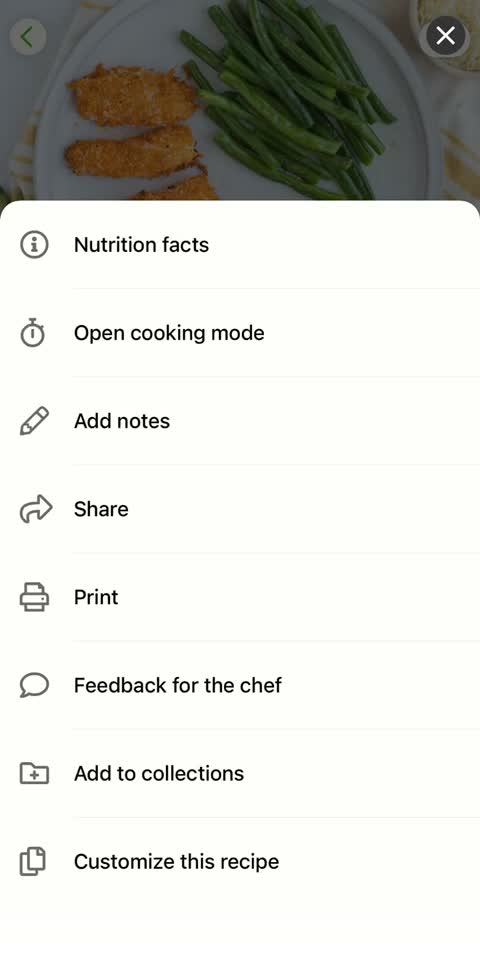
Mealime’s notes help article describes opening a recipe, selecting the more menu and adding a note. Check your installed version for the available editing controls.
A note is often the most useful part of a recipe you have cooked repeatedly: the pan that worked, the ingredient your household preferred or the step you changed. Treat it as a separate personal record rather than assuming the public recipe contains it.
Copy notes beside the recipe they belong to
Start with your most-used dishes. Save the title and public link, then copy your own notes into a document under the same heading. If you use a screenshot, open it at normal reading size and confirm no text has been cut off.
Record whether a note changes a quantity, a technique or simply your preference. “Use less sauce” is hard to reproduce several months later. A clearer personal record says which sauce, what you used and whether it worked for the number of portions you cooked.
Turn a shorthand note into a usable reminder
Imagine your saved note says “better with beans; sauce too much”. Before the context fades, turn that into a record of what you actually cooked: which beans replaced which ingredient, how much sauce you made, how many people ate it and whether you would repeat the change. Keep the published recipe untouched as the reference.
For a technique note, record the equipment that made a difference: the wider pan, the baking dish size or the order you prepared the components. Avoid changing a cooking time merely because you changed servings. A useful note explains your tested result so you can make the same decision again.
Finally, open the saved record from its folder or new app and search for the dish by the name you normally use. That checks whether your notes are not only preserved but findable.
Mealime add own recipe: separate an import from an original
A recipe you imported from a website may still have a public source you can open and save. A recipe you typed yourself or substantially edited may exist only inside your account. Check where the current ingredients and steps are stored before choosing a backup route.
For your own recipe, keep the complete ingredient list, all measured quantities, the intended servings and every cooking step in a readable document. Include your own photos if you want them preserved. A link to a different published version does not replace the version you actually cook.
Use a small, searchable naming system
Give the backup the name you naturally remember. If your household calls a dish “Friday bean bowls”, keep that name together with the formal recipe title and source link. Add the date you last checked the recipe when you have several versions.
You do not need an elaborate filing project before saving anything. A folder with one document per favourite is a useful start. Once the important dishes are safe and readable, you can decide whether to organise them by meal type, ingredient or the time you usually cook them.
What a MealPot link import brings across
MealPot Pro can import an individual recipe link. That link does not grant access to the private notes in your Mealime account. Check the imported ingredients and steps, then keep your personal adjustments in a form you can read alongside the recipe. We do not promise that notes transfer automatically.
The website backup can also accept pasted recipe text, but you should inspect the preview and download before relying on it. Keep the unedited personal record until you have confirmed where every note ended up. Follow the switch checklist to test one recipe before moving more.
Frequently asked questions
Does a Mealime share link contain my private notes?
Do not assume so. Save personal notes separately from the published recipe link.
Can I back up a recipe I wrote myself?
Keep a full readable copy of the ingredients, amounts and instructions. You can try pasted text in the website tool and inspect the result, retaining your original document.