THE DECISION
Choose MealPot for a suggested week built around your household, supermarket and budget, with selected imported favourites. Start with Meals Hub if continuing with Mealime’s recipes for free is your priority.
We build MealPot. Here is where our product fits, and when continuing the Mealime routine may suit you better.
Which should you choose?
Mealime closes on 21 October 2026. Its Pro recipes and features are now available to all users; its full recipe catalogue continues free in Meals Hub, through Albertsons Companies apps and websites. Planning and shopping lists work without shopping at one of its stores. Mealime’s official announcement explains the transition.
MealPot fits a budget-led routine: set what you want to spend, review dinners and estimated costs, swap a meal and use the resulting grocery list. Import selected favourites if you want familiar dishes alongside new suggestions.
Meals Hub fits recipe continuity: you do not need to pay MealPot to keep accessing the Mealime catalogue. Establish your preferences in the new service. If you need an Android app or a browser-based planner, MealPot’s iPhone/iPad app is not a direct replacement.
The workflows, side by side
| Question | Mealime | MealPot |
|---|---|---|
| Choosing dinners | Choose a week’s meals with plan type, allergies, dislikes and serving preferences. | Set household preferences, supermarket and budget; review a suggested week and swap meals. |
| Shopping | Plan ingredients become a categorized grocery list. | The plan produces an aisle-organized list. Meal swaps update it automatically. |
| Before the shop | Selected recipes, ingredients and cooking instructions. | Meal times, portions and estimated meal/plan costs, plus ingredients and instructions. |
| Familiar recipes | In Mealime today; the catalogue continues in Meals Hub. | Import individual links with Pro, review them and save to My Recipes. |
| Paid commitment | Pro is now open to all users during the wind-down. | Free download. Full plan access and recipe import require paid Pro. |
| Account transfer | Meals Hub uses an Albertsons account; some settings need to be established again. | No complete Mealime account transfer. Import does not move private favourites, history or preferences. |
Mealime’s product overview documents its plan → shop → cook flow. MealPot’s App Store description documents budget-based plans and shopping-list updates. Both organize the shop; MealPot’s budget and cost display is the additional emphasis shown here.
The weekly plan in practice
MealPot puts each dinner’s time, portions, price estimate and swap control together. In this plan, Monday’s chicken dinner is listed at 24 minutes for two people; Tuesday’s fettuccine is listed at 25 minutes. You can compare those estimates before opening either recipe.
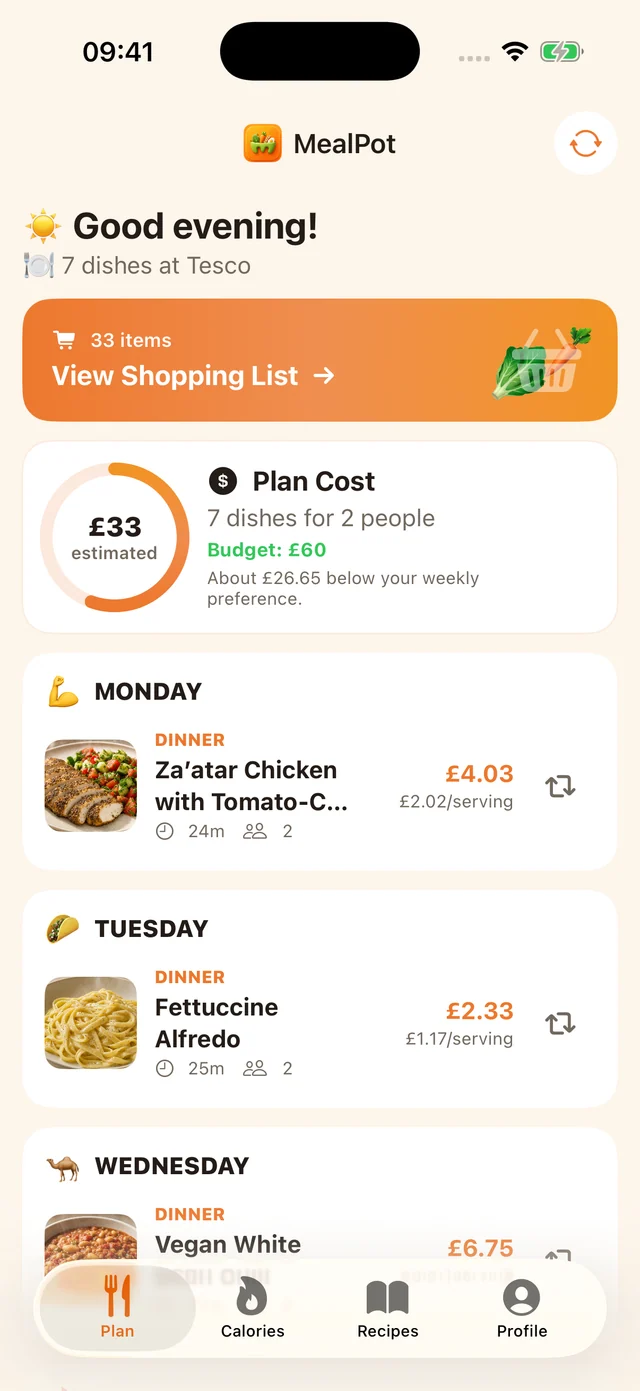
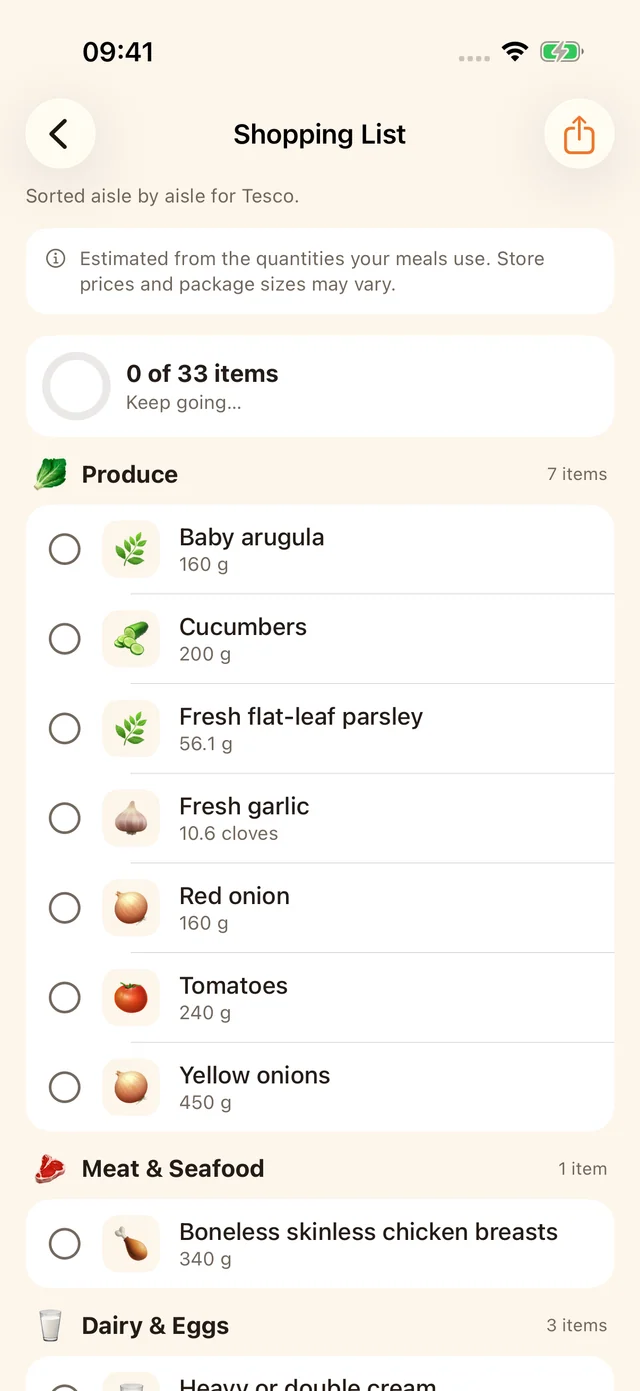
An organized list will feel familiar to Mealime users. MealPot’s additional emphasis is deciding with a budget target and seeing estimated costs alongside meals. Those figures describe ingredients used; buying whole packs can cost more.
See this plan’s shopping list
A real favourite, reviewed
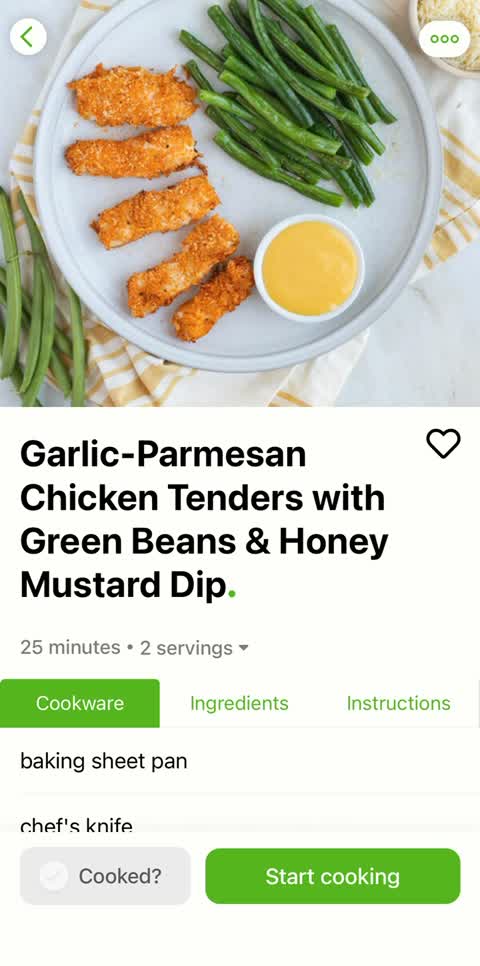
Our walkthrough follows Mealime’s Garlic-Parmesan Chicken Tenders with Green Beans & Honey Mustard Dip. The public recipe and captured MealPot review agree on 2 servings, 25 minutes, 0.34 kg chicken, 0.34 kg green beans and ¼ cup dressing.
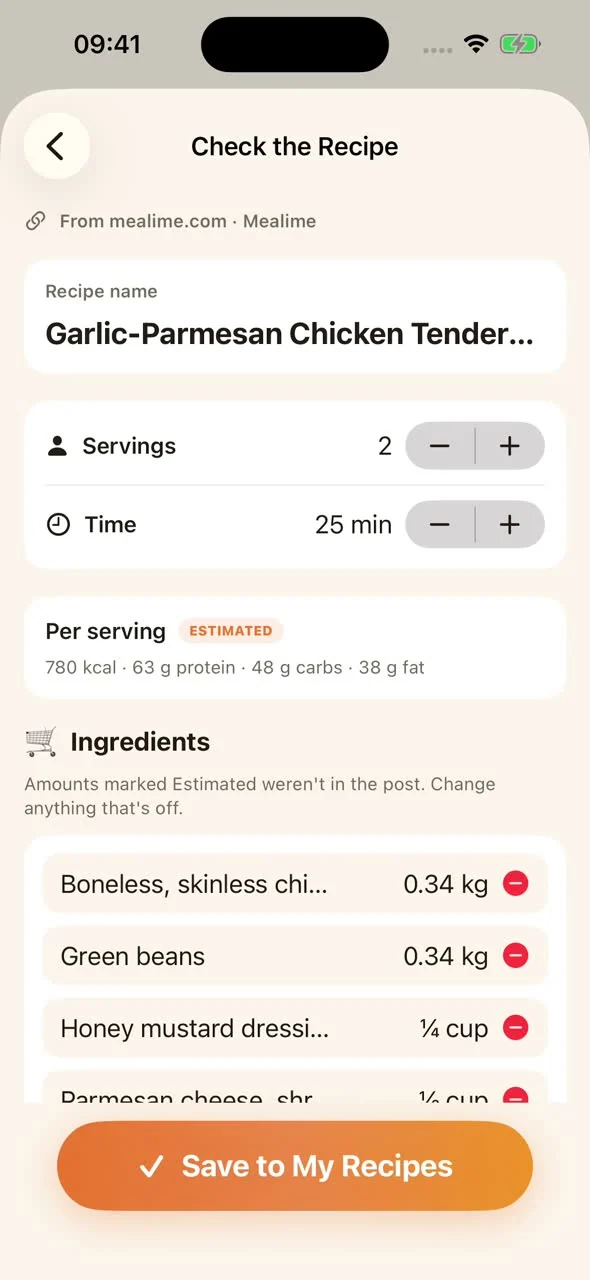
The example also shows why review matters: the public source leaves several pantry quantities unspecified, including oil and garlic powder. Matching the title and time does not establish that every amount is complete. Resolve missing quantities against the original cooking view before relying on the saved recipe.
See the same dish in Mealime
In MealPot Pro, go to Recipes → + → Import Recipe. Paste one link, review and save. The full import walkthrough includes the example link and each step.
For a readable copy outside an app, use the free website backup tool. Its download is separate from Pro import and does not automatically enter MealPot.
Free download and Pro
Free download does not mean unrestricted app access. The MealPot listing places full meal-plan access, plan regenerations, Fridge Chef and Calorie Snap in Pro. Recipe-link import also requires Pro. Monthly and annual subscriptions are offered, with your local price and billing period shown before purchase.
If importing is your reason to choose MealPot, review that offer before working through a collection of links. Groceries are a separate expense: MealPot’s list is not an order confirmation or a guaranteed store basket.
Your first week
- Choose your route. Meals Hub continues the catalogue; a website backup keeps a standalone copy; MealPot offers a new plan with selected favourites.
- Keep one reliable dinner. With MealPot Pro, import its link and review the original servings, ingredients and method.
- Build around real evenings. Set your household and budget, review the week and replace dinners that do not fit. Compare grocery quantities with what is already in your kitchen.
The switch checklist covers the remaining account and backup tasks.
Frequently asked questions
Do I need to pay MealPot to keep Mealime’s recipes?
No. Mealime says its complete recipe catalogue continues free in Meals Hub. MealPot Pro is an optional route for saving individual recipes into MealPot alongside its planning workflow.
Is the free website backup the same as app import?
No. The website creates a downloadable reference from one link. MealPot Pro import reviews and saves a recipe in the app. A website download does not automatically appear there.
Can I move my whole Mealime account?
No. MealPot’s documented route imports one recipe link at a time. It does not transfer private favourites, account history, preferences or the complete account.
Can I use MealPot on an iPad or Android phone?
The current listing supports iPhone and iPad with iOS/iPadOS 17 or later. An Android MealPot app is not offered by the download linked here.
Are the grocery costs guaranteed?
No. They are estimates for the food a plan uses. Your actual shop depends on local prices, pack sizes, substitutions and pantry stock.
Plan your next week with MealPot.
For iPhone and iPad. Free to download; full plan access and recipe import require Pro. Review your local subscription terms in the app.
Just preserving a favourite? Make a free recipe backup.
Compare another way to plan
Mealime vs Plan to Eat · Mealime vs Paprika · Mealime vs Samsung Food · Mealime vs Eat This Much · Mealime vs eMeals · Mealime vs Mob · Mealime vs ReciMe · Mealime vs MealPrepPro
Return to the Mealime guide for account changes, recipe backups and next steps.